The TomTom® Spark 3 Cardio + Music Watch (My Review)

TomTom Spark 3 Cardio + Music Watch Review
This is a sponsored conversation written by me on behalf of
TomTom®.  The opinions and texts are all mine.

The past couple weeks I’ve been testing out the TomTom® Spark 3 Cardio + Music watch, and hot damn can this thing do a lot! Even after two weeks of using it, I feel like I’m still discovering new features, each one cooler than the last. With a built-in heart rate monitor (no chest strap–yay!), GPS tracking and 24/7 activity tracking, this gadget pretty much meets all your fitness tech needs.

What I Love Most about the TomTom® Spark 3 Cardio + Music Watch

So. Much. Data.

TomTom Spark 3 Cardio + Music Watch Review

Heart rate, mileage, average pace, current pace, duration–you name it, the TomTom® Spark 3 will display it during your workout. And then it gets even more fun when you complete the workout and sync it to your phone or computer. Graphs and charts breakdown all the data you need to paint a full picture of your workout. I could geek out with this watch for hours.

Interval Training/HIIT Tracking

TomTom Spark 3 Cardio + Music Watch ReviewI LOVE THIS FEATURE. When you’re setting up the watch to track your workout, you can set it up as an interval timer to guide you through your workout. You can designate the length of time for a warm up, work intervals, rest intervals, cool down and the number of sets. And best of all is that it gives you feedback about your recovery. One of the many measures of overall fitness is the rate at which your heart rate can recover from being elevated. The TomTom® Spark 3 monitors this and shows you how efficiently you were able to recover after each work interval. It’s a stat that we don’t always pay attention to, so I love that it’s measured.

Heart Rate Zone Breakdown during Workouts

TomTom Spark 3 Cardio + Music Watch ReviewI love being able to look at the data following a workout and seeing when and for how long my heart rate was in each of the five zones (easy, fat burn, endure, speed and sprint). You can see your heart rate during a workout as well if you choose that display, but I just love the visual breakdown in the app (or on your desktop) of the entire thing.

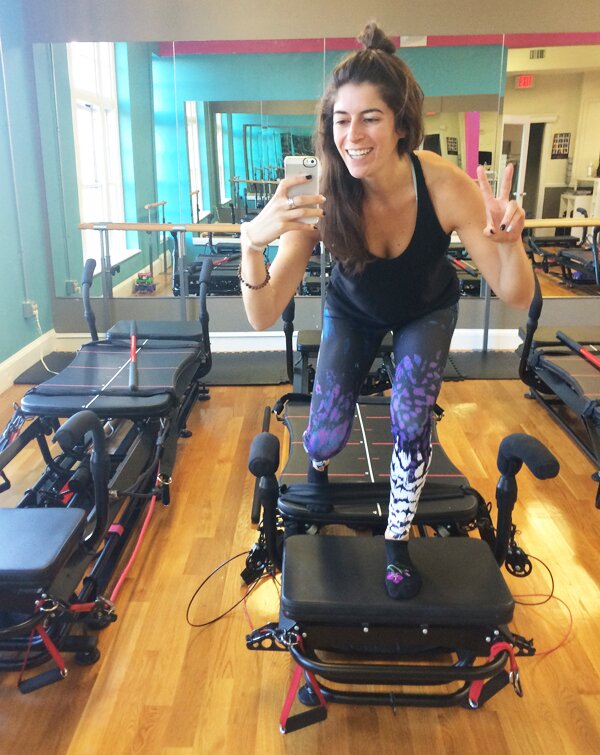
As an instructor, I find this information particularly useful in thinking about class sequencing. I’ve been wearing my TomTom® Spark 3 during Btone classes that I take to not only push myself to keep my heart rate elevated but to give me ideas for planning classes I’ll teach. The watch’s multisport mode allows you to pick between running, outdoor cycle, indoor cycle, swimming, treadmill, freestyle, gym and stopwatch. For Btone classes, I just choose “gym” to track the workout, which acts as a type of catchall.

No Need for a Phone on Runs

TomTom Spark 3 Cardio + Music Watch ReviewSince the marathon last year, I haven’t done much running. Once a week, if that, and no more than five miles. Having the will power and dedication to push your body beyond what you believed its limits to be is an incredible accomplishment, but you also have to listen to your body when it tells you to take a chill pill. Physically and mentally, I needed a break from running. It’s nice because now when I do choose to go for a run, the pressure and goals are out of the picture and I can appreciate the meditative aspect I used to love about running.

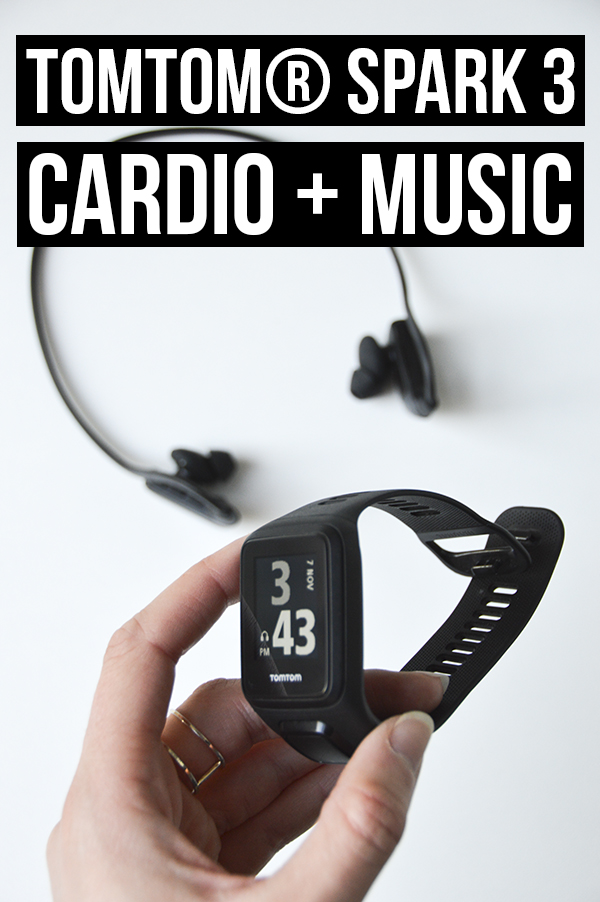
Running has always been one of my favorite forms of “me time” and unplugging from my appendage iPhone improves the quality of that tenfold. The Bluetooth headphones that come with the watch work great (they stay comfortably in my ears while running) and you can store music (500+ songs) on the watch to listen to without the need of bringing a phone along. True, this means I don’t get to take Instagram-worthy pictures of the Charles River as I run, but that’s probably a good thing. 😉 TomTom Spark 3 Cardio + Music Watch Review

In addition to the music, the GPS tracking feature further allows you to leave the phone at home. With the route exploration feature you can upload a desired trail to the watch so that it’s easy to follow on your run or bike ride. You can also just head out and explore new routes and rely on the watch to get you back home if you’re lost. City living doesn’t make this a big necessity for me, but I can’t wait to use it next time I’m traveling or running on unfamiliar trails!

Everyday Necessities: Steps, Clock Face, Stopwatch & Vibrating Alarm

TomTom Spark 3 Cardio + Music Watch ReviewWhen a gadget is as high-tech as the TomTom® Spark 3, it seems silly to gush over the stopwatch, but if a wearable doesn’t do a few basics I need for teaching then I simply won’t wear it every day. I need a quiet vibrating alarm to wake me up to teach in the morning without waking up Joe. Check! It’s a pretty serious vibration, too, and the face of the tracker flashes with a faint beep. I still always set a backup alarm on my phone but I don’t see myself sleeping through the TomTom® Spark 3. I also need a visible clock face and/or a stopwatch feature to time classes while teaching. Check and check!

The 24/7 activity tracking takes care of steps, miles, daily/weekly goals and sleep. TomTom Spark 3 Cardio + Music Watch Review

I LOVE this watch and will continue to wear it daily.

Have you tried any TomTom® technology? What’s been your experience? If you’re thinking about purchasing this tracker and have any questions that weren’t answered in the post, ask away in the comments! 

You can find out about more features and shop TomTom® here as well as follow them on Twitter, Facebook and Instagram.

signature

This is a sponsored conversation written by me on behalf of TomTom®. The opinions and text are all mine.
Fitbit Alta Review

Fitbit Alta Review

Hope everyone had a wonderful MDW! Mine was super relaxing (a major perk of skipping Figawi haha) so I’m going into this work week with a ton of energy. A good thing because–side note–I’m subbing a bunch at Btone. If you’re local, sign up for one of the following classes with me!

  • Wednesday Back Bay 6, 6:55 & 7:50AM
  • Thursday Back Bay 6 & 6:55AM
  • Friday North End 12PM
  • Saturday Back Bay 9, 10 & 11AM
  • Sunday North End 9 & 10AM

Ok, on to today’s post …

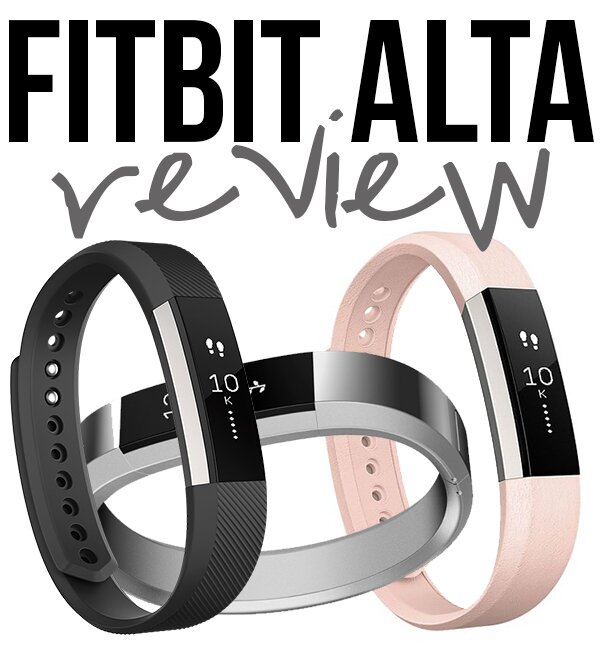
A couple months ago I got to upgrade from my (broken) Fitbit Flex to the new Fitbit Alta, and now that I’ve been playing around with it for a while I thought it’d be helpful for any prospective buyers to do a little review. By “little” I mean long AF. Fitbit gave me the tracker for free as part of their Fitbit Local launch in Boston, but they didn’t ask me to review it and this is not a sponsored post.

Years ago when I got the Fitbit Flex, I was a little mehhh about it (I did a review here). I thought it was cool and would go through phases of being obsessed with how many steps I could get in a day, but ultimately lost interest in having a pedometer on my wrist. This is how the week would go: Tuesdays, Wednesdays, Thursdays I teach and would therefore blow passed the step goal by 9AM and then not even think about it the rest of the day. Saturday and Sunday I’d end up not even wearing the Fitbit most the day because it didn’t look cute with my outfits (*eyeroll* I know, but when you live in yoga pants Mon – Fri, wearing real clothes is fun!). The only two days of the week I found it helpful were Mondays and Fridays–no teaching, just blog work. I’d do my own workout on these days, but other than that just sit at my computer. Knowing I had 10,000 steps to take really did motivate me to move on otherwise inactive days.

So when Fitbit graciously offered me a free wearable why did I pick the Alta, which is basically just an improved Flex, instead of one of the new models that can track heart rate? I don’t know. But I’m glad I did!! The changes from the Flex have made me fall in love with the Alta. Like the Flex, it’s still an activity tracker and probably not for you if you’re looking for data and feedback on your workouts, but the new features are enough that I find it useful in various ways throughout the day.

Side note: You can manually enter in your workouts using the Fitbit app (Alta will automatically recognize walking, running and hiking) but the caloric burn data is just going to be an estimate based on your weight/age/height and the type of activity you select.

Since the Alta is basically a Flex 2.0, I wanted to start by outlining the three big design differences (improvements!). The Alta is $129.95 compared to the Flex at $99.95 and in my opinion the improvements make it well worth the extra $30 if you’re trying to decide between the two.

Design Improvements from the Flex

Monitor Display

fitbit-alta-display-choices

Whereas the Flex just has a row of lights that illuminate as you get closer to your step goal, the Alta has a monitor display. Information you’d need to go into your phone’s app to get with the Flex can now be viewed by tapping through the small screen on your wrist. And you can customize the default display (step progress, clock face, a combination of both) as well as the data displayed when you tap through (steps, mileage, active time, battery level, calories burned).

Better Charger

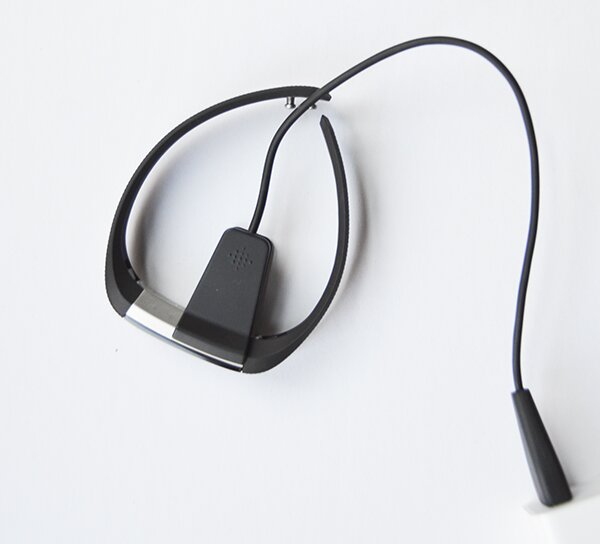
Fitbit AltaMy biggest frustration with the Flex was actually the charger–and in doing a search online I am not alone with that one. It wasn’t designed efficiently and after only a few uses it started being very finicky. I had to hold the flex at juuuust the right angle to get it to charge. It quickly got worse. I had to secure it with hair clips and bobby pins for a while, then it just stopped charging altogether.
The charger for the Alta is a completely different design. It’s almost like a sandwich clip, clamping on and aligning with the shape of the Alta to secure it in place while it charges. Woop!

Sleeker Appearance

A big part of this is due to the monitor display. Instead of looking like you’re wearing one of those rubber wristlets you get at concerts, the reflective surface of the monitor gives the Alta more of a watch-like appearance. The metallic detail on the sides helps with this, too. And the band options are SO MUCH BETTER for the Alta. I’ll get into those below.

Alta Features I Love

Just to clarify, some of the following features are software upgrades that the Flex got as well, so I’m not necessarily comparing the two any more.

Reminders to Move

Going back to what I said in the start of this post, on days I teach it’s not even a question of whether or not I’m going to hit my step goal. With the Flex, those lights would flash congratulatory vibrations at 9AM and then I really had no use for the tracker the rest of the day.

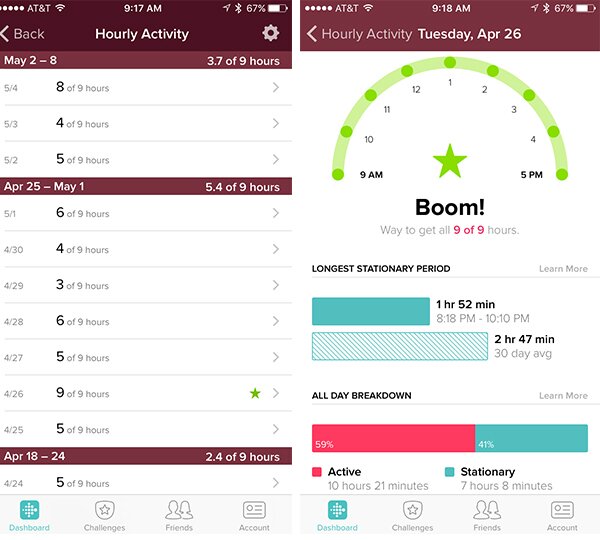
I LOVE the Alta’s reminders to move. You can customize them, but I just have mine on the default setting: every hour from 9 to 6 my wrist will vibrate and the monitor will tell me how many steps I need to take to hit the hour’s 250+ step goal. 250 doesn’t seem like a lot, but if you’re in the zone cranking away at computer work, it’s surprisingly easy to get ZERO steps in an hour. alta-reminders-to-move

In the Fitbit app, you can see the activity data all broken down by hour. This is the challenge I need. Some days I’ll hit 20k+ steps but then look at my hourly activity and see that the majority of my day was still spent sedentarily. SONOFA–

Now I actually focus more on moving a little every hour between 9AM and 6PM than I do on hitting my step goal.

Automatic Sleep Tracking & Silent Alarms

I have a love-hate relationship with the sleep tracking because I never–NEVER–hit 8 hours if I’m waking up early to teach the next day. For a Type A like myself, it is maddening to not hit that goal. But on that same note, the silent alarms were life changing for me. I have to get up between 4:45 and 5AM most mornings to teach but Joe … does not. I used to feel so guilty every time my alarm went off and woke him up! The silent alarms are awesome. My Alta vibrates enough to wake me up without disrupting him.

Clock & Quick View

Fitbit Alta

I love that the Alta is also a watch and you can chose the clock format. I have mine display seconds so that I can use it as a stopwatch while teaching at Btone–so convenient!! With the Quick View feature, the Alta knows when you turn your wrist towards your face (the motion you make to look at a watch) and will display the clock when you do so (otherwise the monitor is blank to preserve battery).

Text, Phone Call & Calendar Alarm Sync

This is a feature that I personally don’t get a ton of use from, but I can see how it’d be amazing for others. You can sync your phone so that text messages, phone calls and calendar alerts will get displayed on your Alta’s monitor. This is done through Bluetooth, so your phone would need to be in the same room as you for it to work.

In general, my phone is always on me, so I don’t see the need to have these go to my wrist as well, but I do have phone calls get displayed because I keep my phone on silent and never notice incoming calls–even when my phone is right in my pocket. Other scenarios when this would be awesome: You’re a mom going to a fitness class but are expecting a phone call from your kids’ school. You’re in an important business meeting and don’t want to be rudely checking your phone but need to stay in the loop on an important text conversation.

Wristband Options

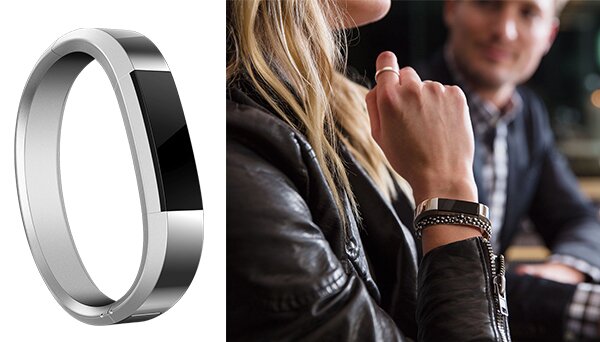
Last but not least, THE WRISTBAND OPTIONS. This goes back to what I said earlier–the Alta is just overall a sleeker-looking wearable than Fitbit’s past models. The metallic wristband is my absolute favorite–I honestly think it’s even better than the line Tory Burch did for the Flex. It’s $99, so definitely not cheap, but worth it if you’re going to wear it every day (in my opinion). fitbit-metal-wristband

Images from Fitbit.com

There are also leather options for the Alta in blush pink and dark gray that look great and are slightly cheaper than the metal band ($59).

Bottom line: I love the Alta! Like the Flex, it’s an activity tracker and I wouldn’t recommend it if you want the best data about your workouts. If that’s the case, you need to go with a wearable that measures heart rate. But if you want a tracker for everyday life, I highly recommend the Alta. Spend the extra $30 and get it instead of the Flex.

You can shop the Alta HERE.

Big thanks to Fitbit for my new favorite toy! The next Fitbit Local Boston event is June 12 and will be a group run followed by yoga with Ambassador Cara Gilman. It’s free and you can sign up here.

Do you have the Alta or another Fitbit tracker? What are your thoughts?

signature

Links in this post are affiliate.


The 10 Health and Fitness Apps I Use All the Time

10 Health & Fitness Apps I Use All the TimeThere are an overwhelming number of health-related smartphone apps out there, so I thought it’d be fun to sort through the clutter and share the handful I use regularly. I also want to hear from you! Share your favorites in the comments section–I’m always looking for new downloads. 🙂

Wellcoin

I went into detail about this app in THIS POST when I first started using it. Wellcoin is like social network meets reward system. You log healthy activities throughout the day receiving points (Wellcoins) for each. You can then redeem your Wellcoins for awesome stuff like free fitness classes, Whole Foods gifts cards, new workout clothes–the list goes on. So far, I’ve cashed in for two free Pure Barre classes, 5 free yoga classes at Prana Yoga, a $10 Whole Foods gift card, a $10 Sports Authority gift card and a voucher for 50% off my purchase at a local juice & smoothie bar. I mean, c’mon. It’s awesome!

You can like and comment on others’ activities as well, which adds a fun social element to it. Granted 80% off my posts are awkward megaformer selfies, but if you want you can follow me by searching for username nicoleperr.

On that note, a reader asked me why my social handles are nicoleperr instead of my actual name–it’s just because nicoleperry is ALWAYS taken. #BasicNameProblems

Get 500 free Wellcoins with code PUMPSANDIRON

If you’re new to the app, start off on the right foot with 500 Wellcoins! If you use THIS LINK the PUMPSANDIRON code should be automatically applied when you create an account.

iPeriod

I’ve been using iPeriod for years. I don’t take hormonal birth control because it makes me crazy and depressed, so I don’t have a pack of pills telling me when I’m going to get my period. I track it with the app, which not only tells you when to expect your unwanted houseguest, but also shows you when you’re ovulating, which is useful information for both women trying to avoid pregnancy (me) and those wishing to conceive. It’s of course not as accurate as some other methods, but I find it so, so helpful. You can track other things with the app (symptoms, cramping, etc.), but I typically just focus on the calendar tracking feature.

Warning: You might want to shut off sound notifications for this app. When you’re ovulating, it alerts you with the sound of what can only be described as angels singing in a choir–it’s so ridiculous (and hilarious).

Mindbody Connect & Express

btone-peaceMy fellow group fitness addicts and instructors will already be familiar with this Mindbody app duo. Mindbody CONNECT allows anyone to book classes at all studios that use MBO for their scheduling (most studios do). As long as you use the same email/password combo for each of the studios you work out at, you’ll be able to centralize your class booking in the app. Mindbody EXPRESS is for studio owners and instructors. Through the app I can sign people up for classes, check them in, check their client profile, run sales if they purchase something at the studio, etc. It also comes in handy because I can see who’s signed up for my classes beforehand. In January, when studios typically get a lot of new clients, I can see how many newbies I have in class and can then plan the routine accordingly. There’s a bit of a learning curve with the megaformer, so if more than half the class is new to the machine, there are certain exercises I’d avoid.

ClassPass

So my days using this app might be coming to an end as I contemplate canceling my ClassPass membership, but I wanted to include it anyway. If you’re a CP member, it allows you to search and schedule classes when you’re away from a computer.

RunKeeper

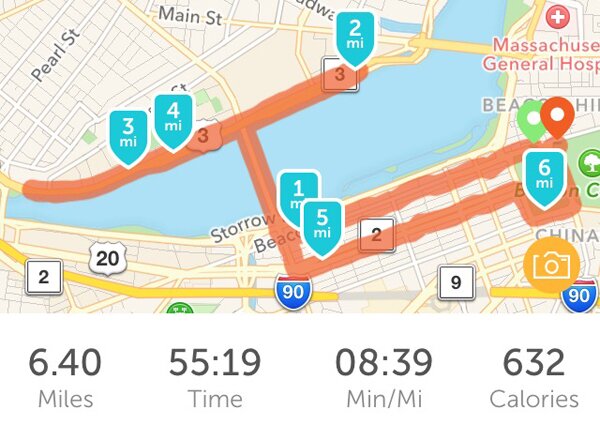
runkeeperI used to track my runs with the Nike Running app, but recently switched to Runkeeper because it automatically syncs up with the GPS watch I use, my Wellcoin account and my Fitbit. Talk about convenient!

Round Timer

I use this for interval workouts when I don’t have my Gymboss with me. It’s definitely not the most sophisticated option for interval timer apps, but I’ve been using it since college and apparently am a creature of habit. If you have suggestions for better ones let me know!

Sweetgreen & b.good

Sweetgreen Guacamole Greens SaladThese are two of my favorite healthy food chains in Boston, and at least once a week I’ll hit them up for lunch or dinner. If you pay with their respective apps, you earn credits that can eventually be redeemed for free food. I love customer loyalty programs like this!

P.S. If you use the sweetgreen link above, you’ll get $3 off your first purchase using the app. And so will I … 😉

Fitbit

I’m actually not using the app right now because in my very on-again-off-again relationship with my Fitbit, we’re in an “off” phase, but I had to include it. When I am wearing my Fitbit regularly, I obsessively check the app to monitor my stats. Through the app you can also track food, sleep, workouts and a bunch of other things besides steps. And Fitbit just recently partnered with Mindbody (see above) so that you can link your accounts and automatically sync the fitness classes you take to your Fitbit stats–so cool!

What health & fitness apps do you use??

signature

Disclosure: I’m a Wellcoin ambassador and while I was compensated for this post, all opinions—as always!—are my own. Thanks for supporting the brands that support P&I! 🙂